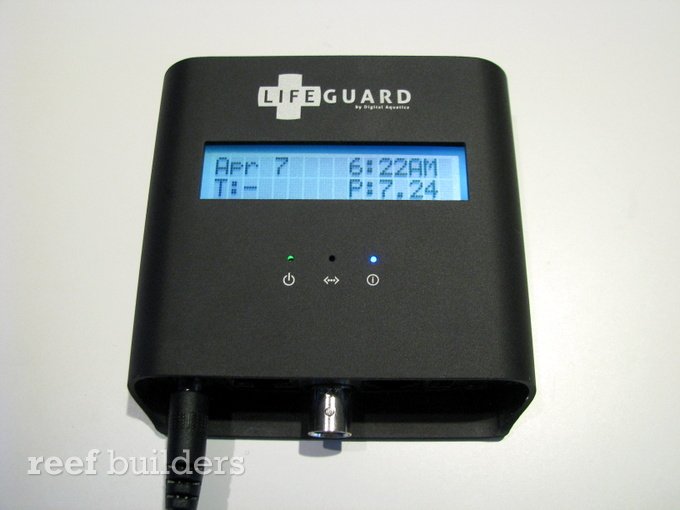
The Lifeguard is Digital Aquatics’ first venture into hardware exclusively for salt water aquarium monitoring. Designed solely for monitoring pH, temperature and water level the Digital Aquatics Lifeguard is not a controller thus lacking any controlling ability. Features we’ve come to expect from aquarium controllers such as an outlet box and many expansion units cannot be found with the Lifeguard, but that includes the hassle of setting it up. Each Digital Aquatics Lifeguard includes the Lifeguard monitor, a temperature probe, a pH probe with associated calibration solutions, a plug for top off integration, and (nearly) all required accessories to set it up. Keep reading for the our initial impressions.
First impressions:
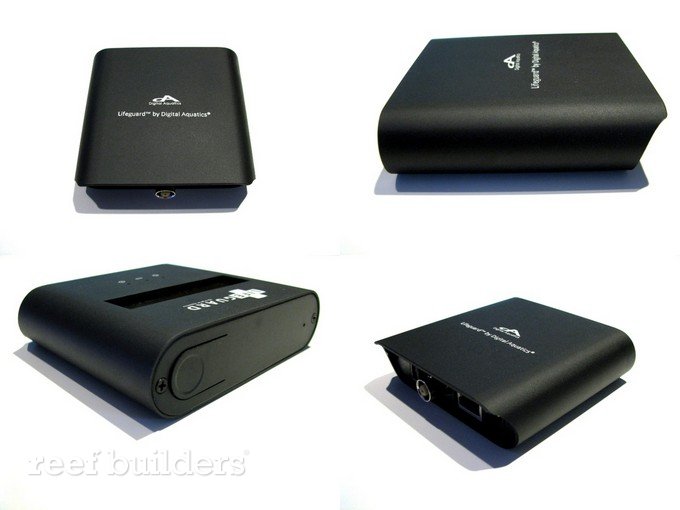
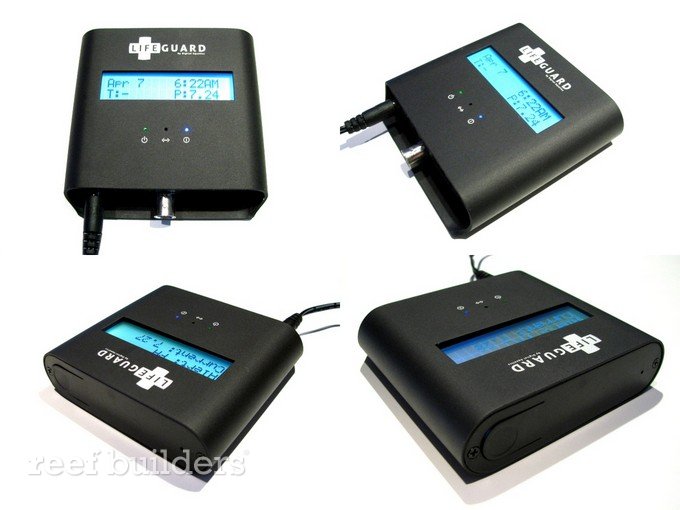
The first things that struck us about the Digital Aquatics Lifeguard is its beautiful design. Solidly build with an anodized black aluminum body and round curves, the Digital Aquatics Lifeguard is really something that you might not really want to hide under the cabinet. Based solely on the look and feel of the Lifeguard, we find this monitoring device is one of the most attractive on the market. Holding the Lifeguard in you hand really helps you feel like you’ve got something solid, in contrast the majority of other monitors and controllers.
Setting up the Digital Aquatics Lifeguard:
Overall the setup of the Lifeguard is extremely easy and user friendly. After unpacking the Lifeguard and plugging in the power supply, the unit just needs to be plugged in your router with a supplied Ethernet cord. Once the monitor is connected to your router, your unique Lifeguard IP address can be found using the single bottom interface on the main unit. Typing the Lifeguard IP address into your browser directs you to the main dashboard. Upon first visiting your Lifeguard’s dashboard, you’ll be asked to fill in some basic information such as time and unit preferences along with total water volume and heater wattage. You will also be prompted to create user name and password keeping your dashboard private. Through the dashboard the probes can be calibrated, after which your unit is ready to roll, it really is that simple.
It does need to be mentioned that some more advanced features such as email notifications can be tricky to setup since SMTP is used and any clear directions seem to be completely lacking. Another small complaint is the need to wire up and use a third party float switch, something which completely misses the plug and play feature being promoted along with the Digital Aquatics Lifeguard. We also found it a little strange and slightly annoying that there was a need to calibrate the temperature probe.
Web Access:
A big strength of the Lifeguard is its virtual dashboard. Lacking any real interface beside one bottom on the actual unit, the dashboard is the medium through which to configure and monitor the Lifeguard. With a very well thought out interface, and intuitive control the dashboard is a pleasure to use and we tend keep coming back to the dashboard throughout the day just for fun. Playing around with the dashboard we especially liked the quick glance status with associated colors in green, red and yellow. We also found the ability to switch the orientation of float switch from normally-off to normally-on a neat and welcome feature.
HTML 5 based the Lifeguard dash board is accessible from both computers, iOS, android and other smartphones. We did find that the refresh rate on smart phones is slightly slower (a couple seconds vs a second) but that might be just our internet connection, and shouldn’t really be a concern anyways.
[nggallery id=740]
Overall impressions:
Although there are a dash of annoying quirks with the unit such as the need to calibrate the temperature probe and the need to wire your own float switch, all the other features of the Digital Aquatics Lifeguard quickly make up for it. With its great build quality, general plug and play setup, and ease of use the Lifeguard definitely could be a winner in our book. We still have to do some thorough testing, so no final verdict yet, but so far using the Lifeguard has been mostly positive.