

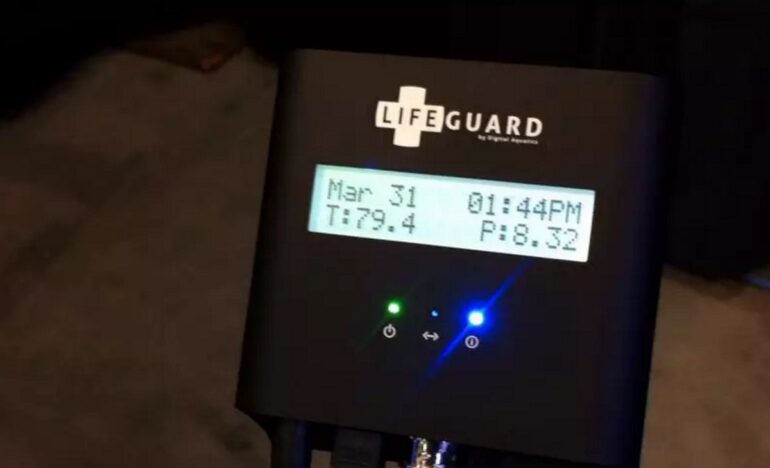
Everything you want to know about the Digital Aquatics Lifeguard in 4 minutes

By on Apr 03, 2012

We’ve been covering the Digital Aquatics Lifeguard aquarium monitoring device for several weeks now. We know what the Lifeguard can do, we know what it looks like and how much it costs. Just in case you wanted to know everything about the Lifeguard all in one place, here’s a nice detail-packed little video FAQ we did with Digital Aquatics at the Marine Aquarium Expo which should answer all your questions. Two benjamins is a bargain for the peace of mind the Lifeguard can offer and we look forward to personal experience and feedback on how well the Lifeguard works on real world tanks.


Posted in Reef News |
Search More:  
   
  • http://reefgizmo.com Reggie Suplido

    I’m having a hard time understanding what this product is for. It’s basically a $200 device that monitors pH, temperature, a switch monitor, and runs a mini web server that you can access on any web browser, with a fancy HTML5 interface.

    The Neptune Apex Jr + PM1 ($150 + $75) is basically the same thing, but is a full controller rather than just a monitor — just $25 more expensive. It also has a mini web server built-in, iOS app, and also has a web interface (though less fancy).

    Though a different product, the uber-fancy Nest thermostat (http://www.nest.com) is only $249, wireless, has a color display, and several sensors (temperature, humidity, and motion).

    I think the DA LifeGuard is overpriced and at $200, it should have been WiFi-enabled already. Also, where are the integration modules? I would have expected to see at least a wireless programmable power outlet module, that would react based on the data on the LifeGuard. Maybe iFixit should do a teardown and see if there are undisclosed chips inside that will give it more features. ;)

  • http://www.facebook.com/profile.php?id=622465486 Ryan Thompson

    At $50, I get one in a heartbeat and know my limitations. At $100, I have to convince myself that my $100 product does nothing in the event of a failure. At $220, I buy a Neptune Apex Jr and can actually control my tank via the internet.

    The marketing and pretty interface will wear off when people realize this will do nothing for their “peace of mind”.

  • SoTM

    +1 on that.

    I would also really consider one as backup if it was in the $100 area. $220 is insane(I wonder if a float switch comes with it?) for a simple monitor.

    LifeGuard is a poor name, since it can not rescue a thing. Picturing I am on vacation (yet to have one)……I would rather come home to a fried tank than montior said fried tank for a week while I could do nothing about it.

    All this can do can be done with an Apex Jr….plus you can control 4 outlets and do so over the internet.

  • AlexLey

    Like everyone else, I’m not sure who this is really for. I can imagine that some people will only be interested in just monitoring, but it seems too pricey when a full blown controller with probes to match does not cost much more.

    There is a silver lining in its “pretty” interface. I felt burned by DA RKL and its hideous and hard to use MyReef software. On the other hand, the web interface in the DA LifeGuard looks really functional. A good design is not just about being “pretty,” but about being really functional, and presenting information you need to know quickly and economically—a lesson I’m surprised to see many electronics makers still learning. If the LifeGuard’s interface is a sign of things to come from DA, I’m rather encouraged.

  • kurt_n

    Since it only reports pH, temp, and whether a switch is triggered or not… I’m not sure how *anyone* could screw up the interface with so few items to worry about!

    While I agree that for those of us reading this stuff, the price point is something to scratch our heads about, the product is obviously not aimed at us. I can easily see someone fairly new in the hobby, that only know that controllers are “expensive” and “confusing”, snap this up at $200 a pop. After they’ve shelled out all their hard earned $$ for the latest and greatest water movers and LED lighting, what’s another $200 to be able to show their friends their new tank’s temperature on their latest and greatest smartphone. It’s only later, after they watch their tank crash (in real-time via their LifeGuard) that they’ll realize maybe a controller wasn’t such a bad idea to start with. And with their familiarity with the LifeGuard, DA will probably be the place they first turn to. I bet DA does just fine with these, within a niche of our niche hobby.

  • 10 xor 01

    I too was wondering about the market for this product, until the very end of the video when he mentioned that service providers could use these devices to get a summary view of the status of all their client’s tanks.  My guess is that could be a killer feature, and help sell a bunch of these.

  • AlexLey

    It takes a special kind of talent to screw up a simple interface, but I’ve seen it done.

    Interesting, didn’t think of a monitor as a gateway to a controller.

  • TerenceF

    +1 Excellent concise reply. This is like a lifeguard who is chained to his tower watching and screaming that your kid is being dragged out to sea and eaten by a shark.