What is attractive to many potential buyers of the Radion LED light from Ecotech Marine is not only the quantity and quality of the light it produces, but also in its built in smarts in the form of wireless communication and especially the software which is used to program it all. Just Friday Ecotech Marine announced that the Radion LED would begin shipping to resellers, hopefully satisfying all the pre-orders. But what was most exciting of all to the lucky few beta users of the Radion was the release of the first iteration of a fully-fledged Radion controlling and programming software.
Downloading, installing and starting the EcoSmart Configuration Utility was a breeze, and it quickly recognized the Radion XR30w LED fixture once it was plugged in via USB. The Grandpa-vision progress wheel lets you know that the EcoSmart Configuration Utility and the Radion are talking and from then the light immediately responded to commands and adjustments.
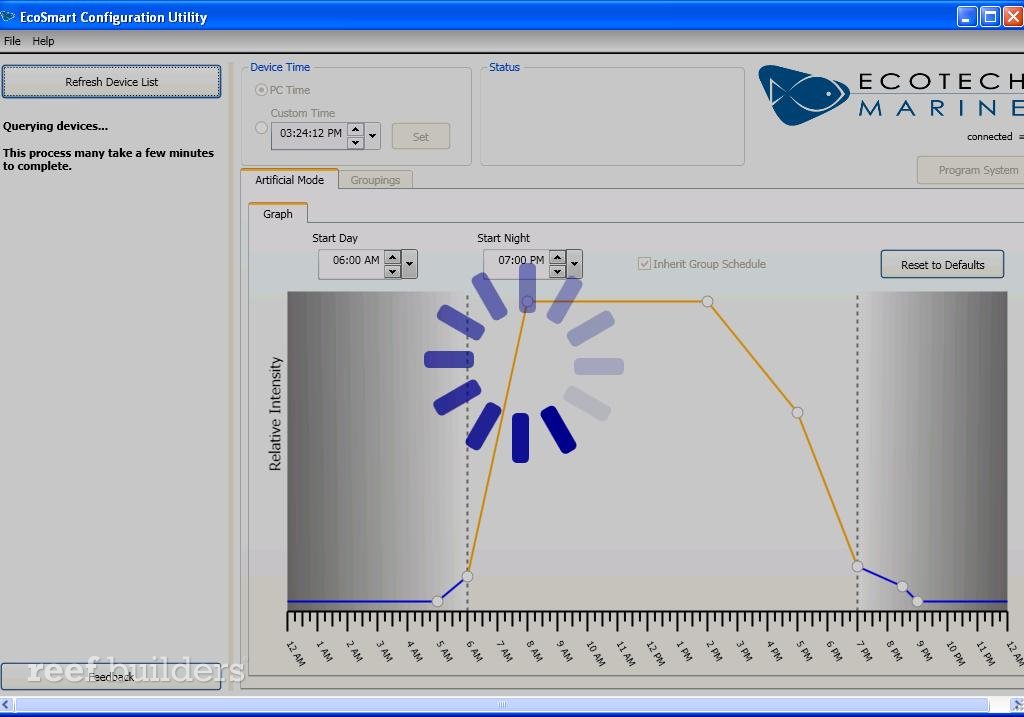
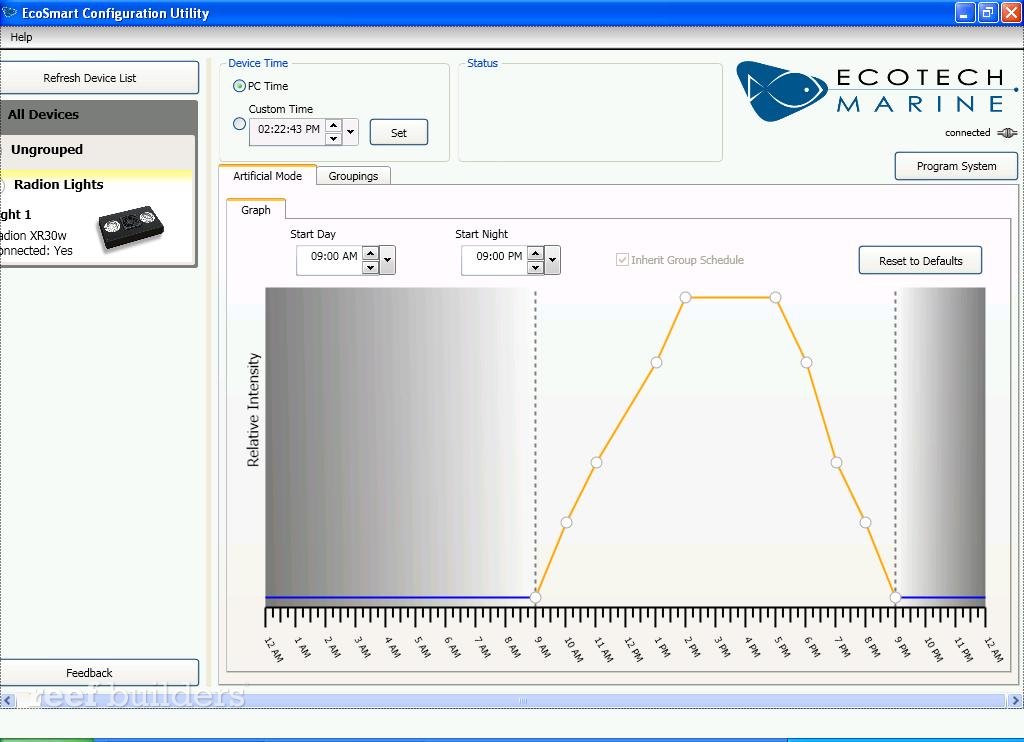
The screen cap above shows the default timing cycle for several of the LED channels and below you can see how we’ve altered the sequence of our timing graph. Our Radion unit is now programmed for a nice ‘n natural 12 hour light cycle with a symmetrical ramping up and down of separate channels: the royal blues come on first, then the standard blues, then the whites, and then finally a peak of intensity with the deep red and green LEDs cresting for a few hours during midday. Adding, removing and reprogramming individual points along the curve is as easy as double clicking or right-clicking on the curve and adjusting the input fields. Piece of cake.
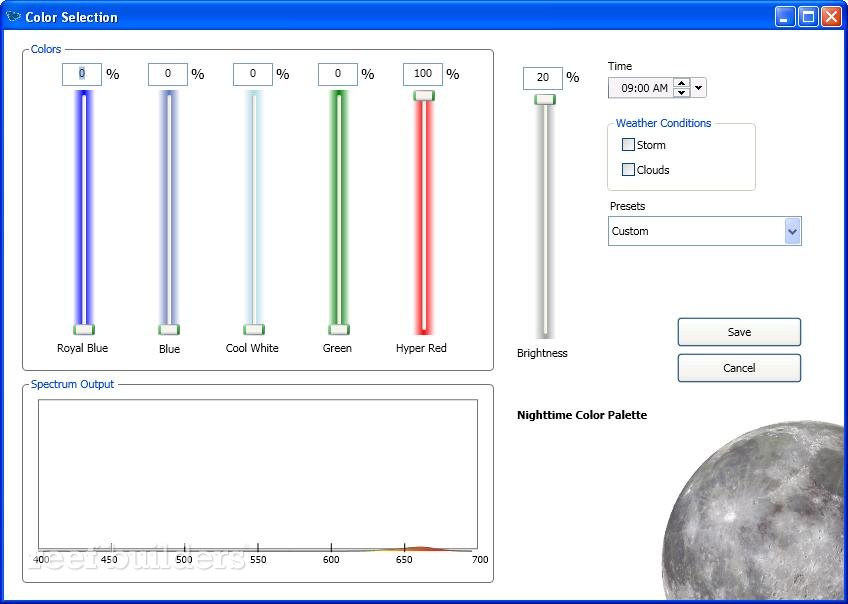
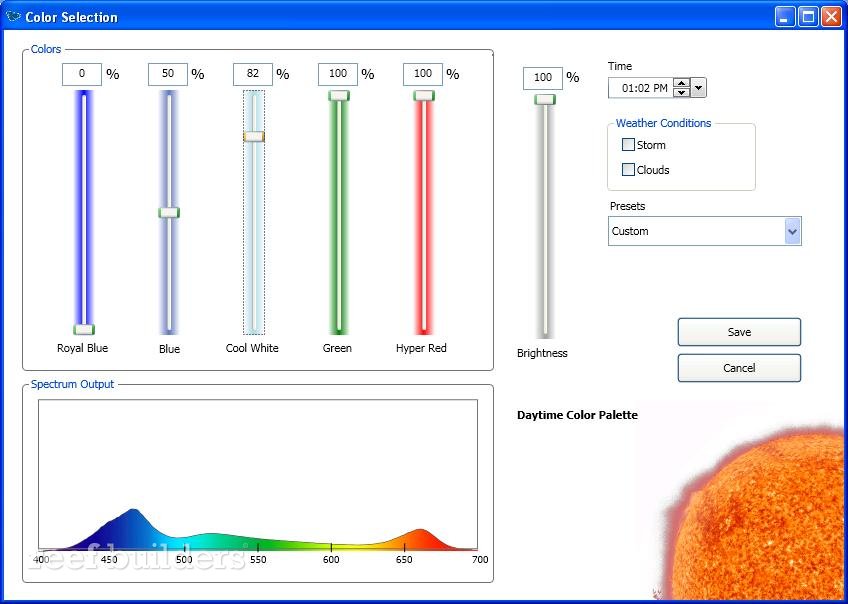
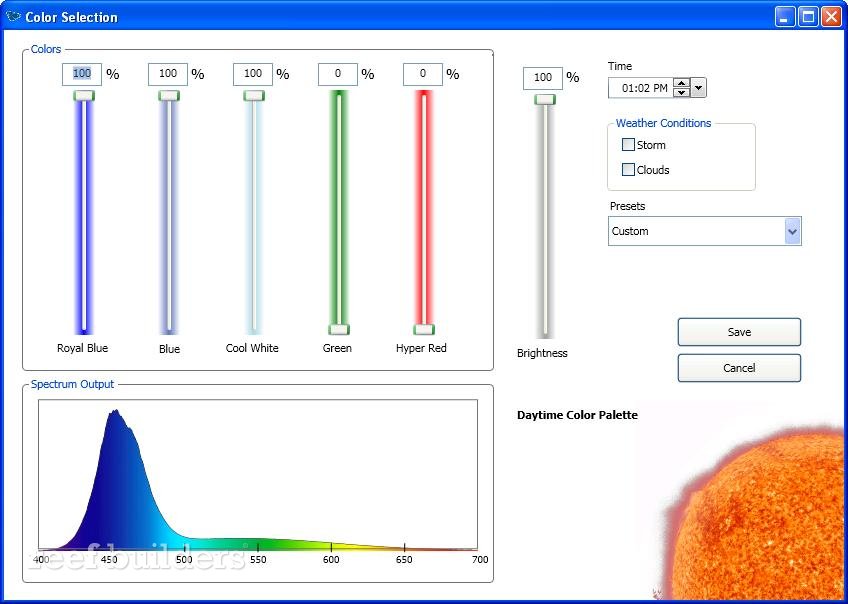
When adjusting points along the lighting curve your parameters will either fall under the night or day lighting categories, as obviously indicated by the moon or the sun. In the Color Selection window you’ll see sliders for each of the five color channels, and a maximum ‘master’ adjustment slider.
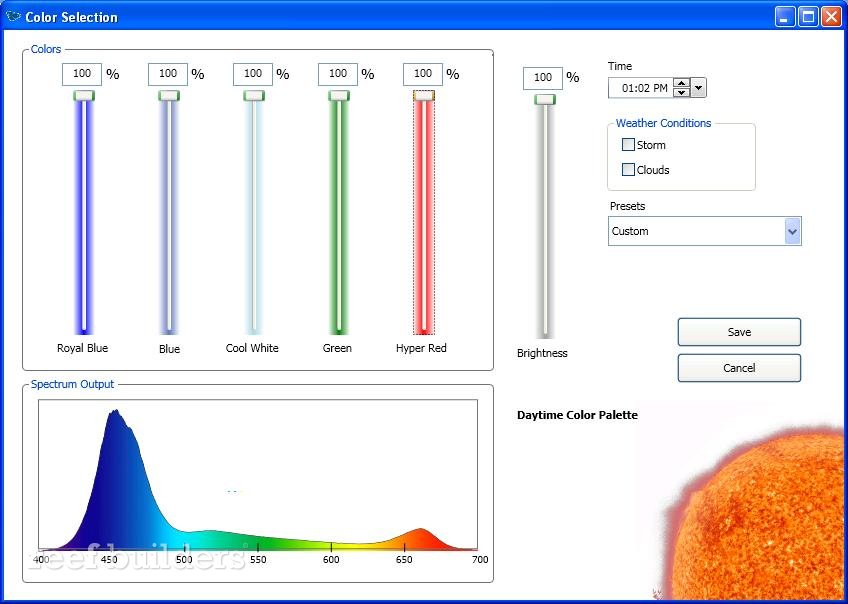
Perhaps the trickiest feature is the real time changes you can see in the Spectrum Output graph below the sliders as you tweak the individual channels up and down. It may not be immediately useful information for many but as we get used to having it there some people may really come to appreciate the fine tuning of the light spectrum for different types of corals. The only thing missing is a calculated Correlated Color Temperature (CCT) but it’s something we may see in software updates down the road. You can see the difference in the spectral output difference between the images above and below when the green and blue LEDs are turned off.
When we were done programming the Radion XR30w using the EcoSmart Configuration Utility we really had an “is that it?” moment when we realized how much advanced programming was sent to the Radion with just a few clicks. If the EcoSMart Configuration Utility is this capable now, it’ll be awesome to see what new functionality will get added over time as the platform matures. We’re personally looking to having a the Radion software tell a pair of Vortechs to ramp up to maximum flow during maximum lighting intensity, meeting the changing needs of photosynthesizing zooxanthellae living in coral tissues.
Oh and by the way, feel free to download the EcoSmart Configuration Utility from Ecotech Marine because you can see how it works and play with some of the features even without a Radion in the room. Now if they could just port the ECU to Mac OSX we’d really be impressed.